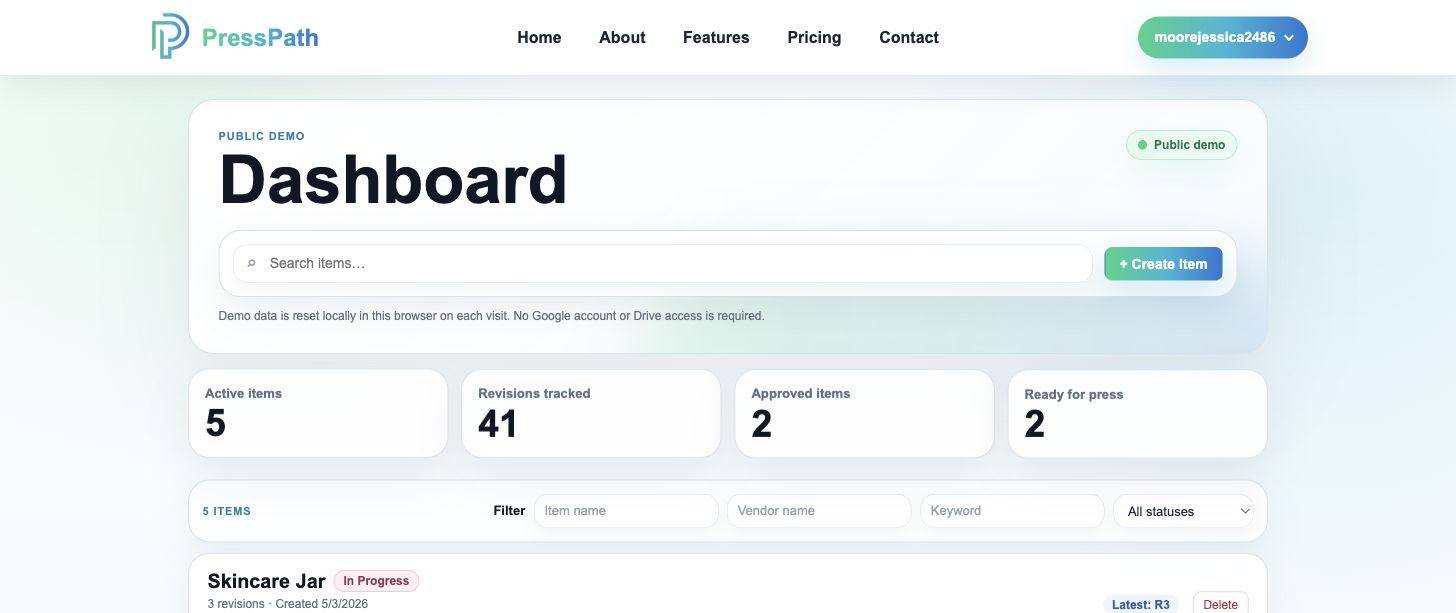
Home Dashboard
See every artwork item, status, and next step at a glance.
PressPath keeps active packaging artwork organized by item so teams can quickly find revisions, approvals, files, and changelog history without digging through messages.
SUGAR GROVE, ILLINOIS
EmailPackaging Artwork
I created a cloud-based revision and approval management platform built specifically for packaging artwork workflows. PressPath brings scattered artwork files, emails, notes, and approvals into one organized workflow for packaging teams, production artists, vendors, and creative operations.
Visit PressPath getpresspath.com
PressPath is a vertical SaaS workflow app, built as a React/Vite SPA with Supabase auth/data, Netlify serverless functions, and Google Drive/OneDrive integrations.
Home Dashboard
PressPath keeps active packaging artwork organized by item so teams can quickly find revisions, approvals, files, and changelog history without digging through messages.
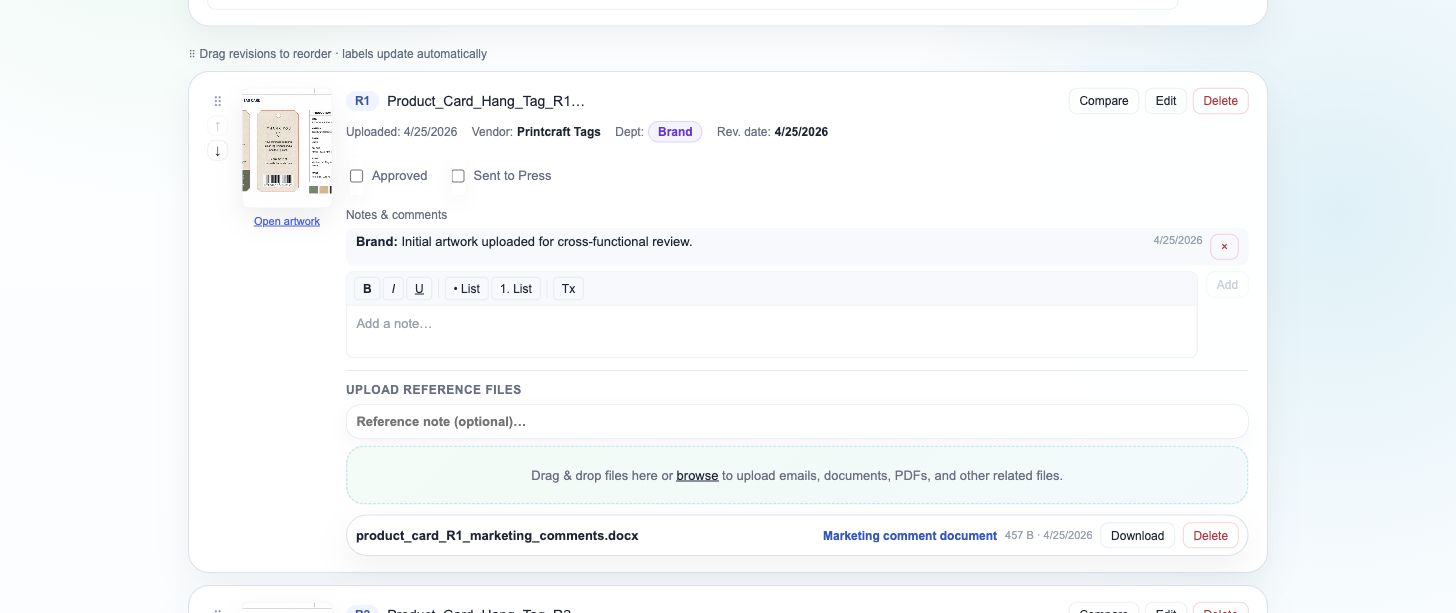
Item Page
Upload artwork, attach supporting emails or documents, add notes, and keep each department handoff tied to the revision it belongs to.
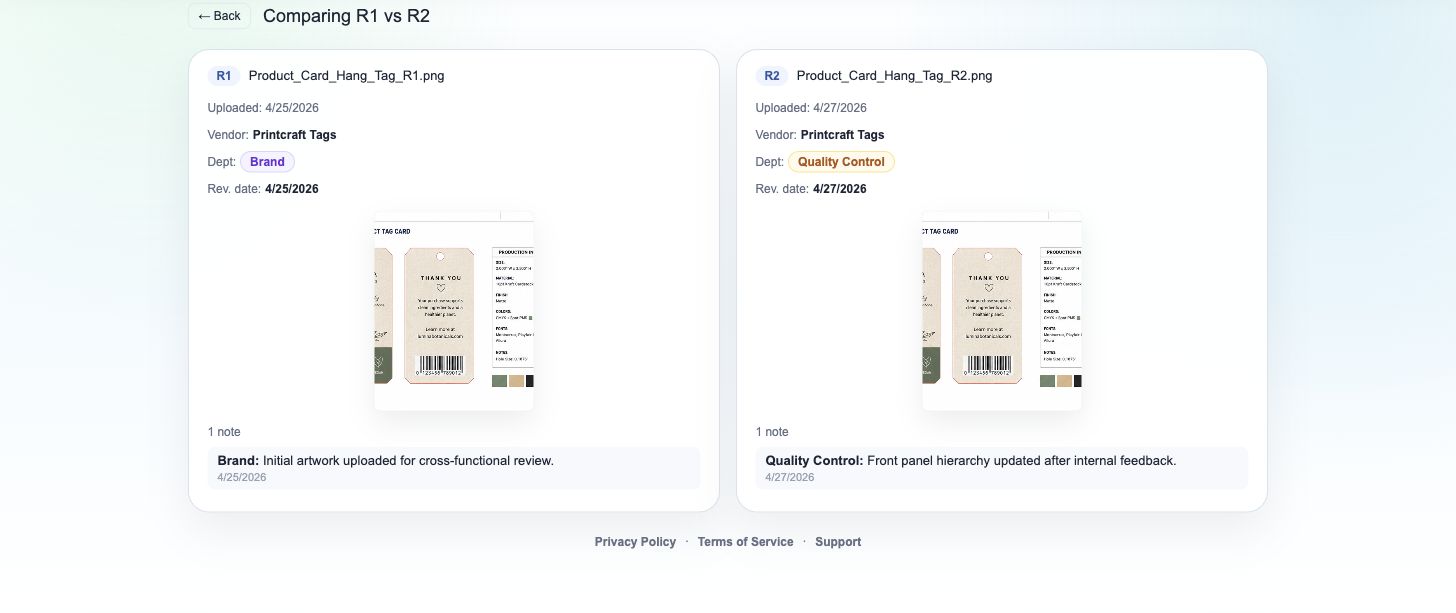
Compare View
Compare artwork files, revision metadata, notes, and approval status in one view so teams can confirm what changed before moving forward.
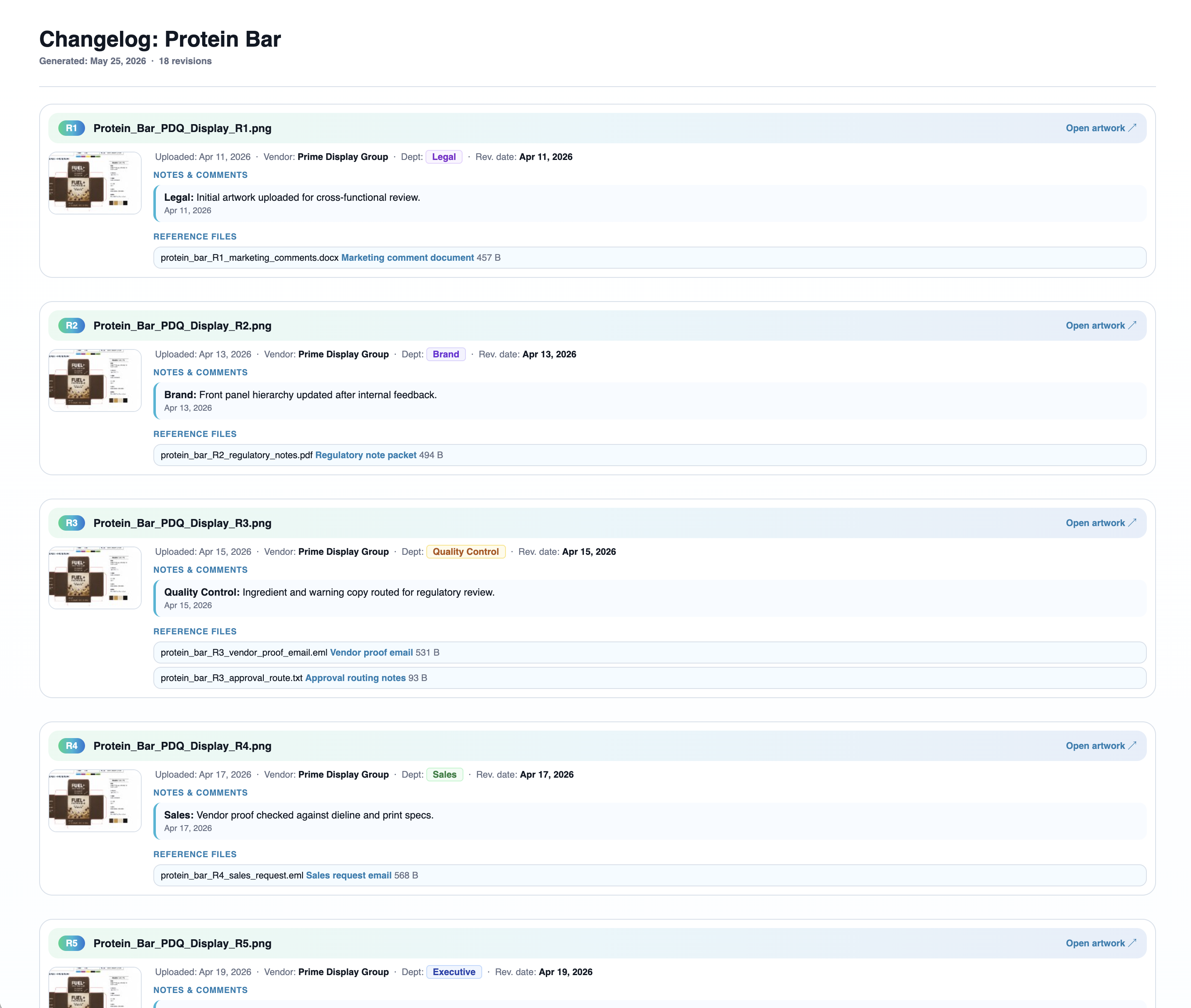
Changelog
Create readable changelogs with revision history, department activity, approval stamps, notes, artwork previews, and reference files. Share a public link with vendors, clients, or teammates so they can review it without needing a PressPath account.
Keep artwork, metadata, reference files, and changelog exports organized in your connected cloud storage.
Follow each item from first upload through final approval with notes and status history.
Built around artwork, vendors, departments, approvals, and production handoffs.